How to record from your mixer's REC or booth output
To record a DJ mixer that has no USB audio, connect its REC output (or BOOTH, or a second master output) to the line inputs of a USB audio interface, set the interface's input gain so the loudest parts peak around −6 dB, and record the interface on your phone or computer. This works with every mixer that has an analogue output, from a club mixer to a two-channel battle mixer.
Which output should you record from?
Most mixers have more than one output. Any of them will work; the difference is how they behave while you play.
| Output | Connector, usually | Level follows | Notes |
|---|---|---|---|
| REC (record out) | RCA | Usually nothing: a fixed level | Made for this. Use it if your mixer has one. |
| BOOTH | 6.35 mm jack or XLR, sometimes RCA | The booth level knob | Fine, but anyone turning the booth monitor up or down changes the recording. |
| MASTER 2 / second master | RCA or XLR | Often the master knob | Use when there's no REC output; keep the master level steady. |
| Headphone output | 6.35 mm or 3.5 mm jack | Headphone volume and the cue mix | Last resort: it carries whatever you cue, not only the mix. |
On most mixers the REC output runs at a fixed level that doesn't follow the master knob, which is exactly what you want: you can turn the room up or down without touching the recording. The manual says which outputs do what on yours.
The cables you need
Match the mixer's output to the interface's inputs:
- RCA out → RCA in: a plain stereo RCA cable. Many small interfaces have RCA inputs.
- RCA out → 6.35 mm (1/4") jack inputs: an RCA to dual 6.35 mm mono jack cable, one plug per channel.
- XLR out → XLR or combo inputs: two XLR cables. Switch the inputs to line level if the interface has a switch, and keep any phantom power (48 V) off.
Use the interface's line inputs, not a microphone preamp at full gain. A mixer output is already loud; a mic input set for a microphone will distort it.
Choosing an interface
Any class-compliant USB audio interface works, meaning one that runs without installing a driver. Phones, tablets and computers all treat it as a standard sound card. Small two-input boxes like the Behringer UCA202 or UMC204HD are enough for a stereo recording; you only need more inputs if you want to record several sources separately.
Two practical points:
- Power. Interfaces powered over USB sometimes need more than a phone can give. If the phone doesn't see the interface, or it cuts out, put a powered USB hub (one with its own charger) between them. Many of these hubs also charge the phone during a long set.
- Phone connection. USB-C phones plug straight in with the right cable. Older micro-USB phones need an OTG adapter.
Setting the levels
Getting the level right is the difference between a clean recording and a distorted or noisy one. Set it once, before the set, with the loudest track you'll play.
- Play your loudest track at your normal playing level, with the mixer's master meters where you'd usually run them, not in the red.
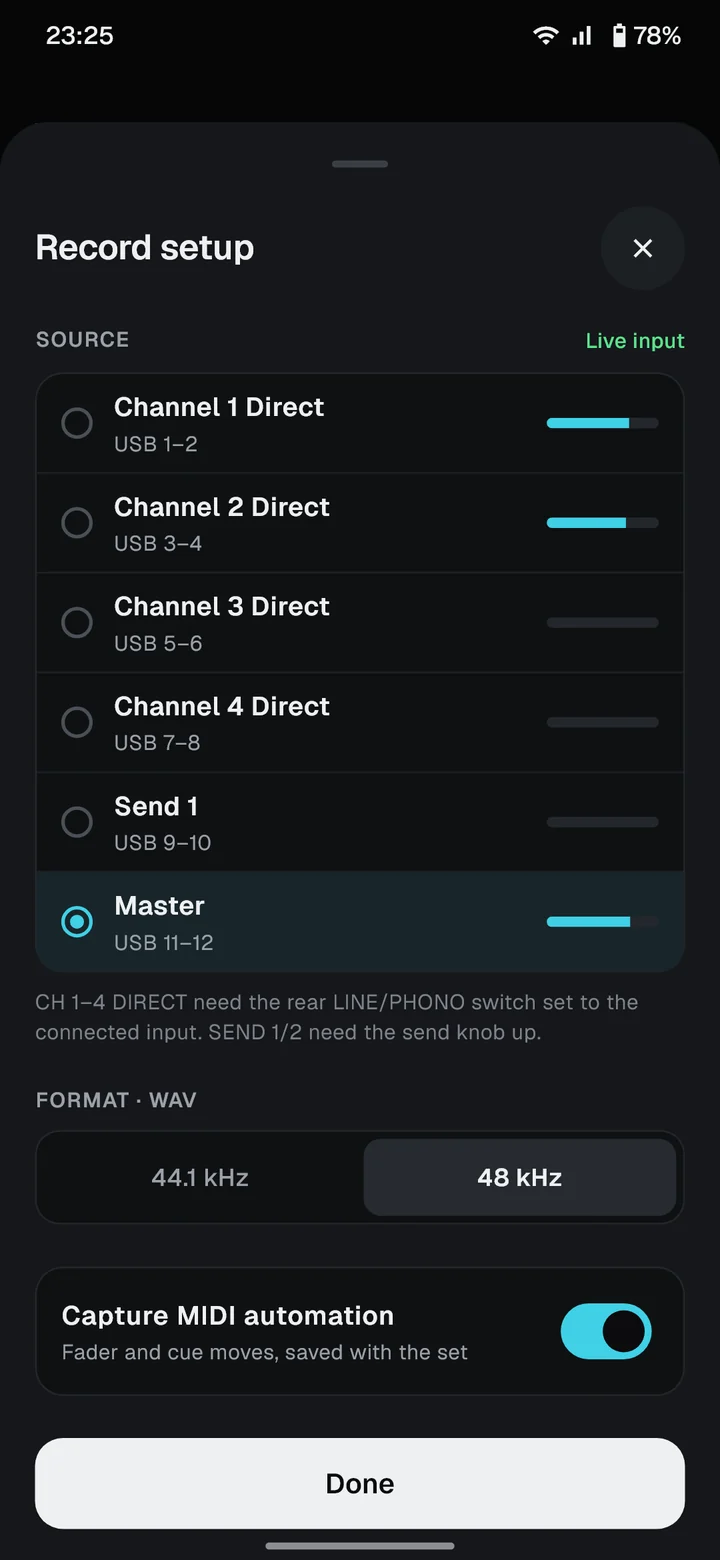
- Start the recording app and watch its input meter. In FaderLog, that's the level meter on the record screen.
- Turn the interface's input gain up until the loudest peaks reach about −6 dB. That leaves room for a drop that hits harder than you expected.
- If the meter touches 0 dB or the interface's clip light flashes, turn the gain down. Clipping is permanent and can't be fixed afterwards.
A recording that peaks around −6 dB is not too quiet. Its loudness is set afterwards, when you normalise it for where it's going: about −14 LUFS for most streaming platforms, louder for a club-style file.
Avoiding hum and noise
A steady hum or buzz in the recording is almost always a ground loop: the mixer and the recording chain are powered from different outlets with slightly different ground.
- Power the mixer, the hub and anything else in the chain from the same outlet or power strip.
- Keep the audio cables away from power cables and lighting.
- If the hum stays, a ground loop isolator on the audio cable usually removes it.
- A hiss that rises when you turn the interface gain up means the mixer's output is too low. Raise the REC or booth level at the mixer, if it has a knob for it, and lower the interface gain.
Recording it
With the levels set:
- Connect the interface to the phone (through the hub if you're using one).
- In FaderLog, pick the interface's input pair. On a two-input interface that's the only pair, inputs 1–2.
- Do a one-minute test recording and play it back, checking both left and right have sound.
- Start recording before you start playing, and lock the phone. FaderLog keeps recording with the screen off.
Questions
My mixer has no REC output. What can I use?
The BOOTH output or a second master output works the same way. Leave the booth or master level alone while you record, because the recording follows it. The headphone output is a last resort, since it also carries whatever you cue.
Can I record from the headphone output?
You can, but the recording will include anything you pre-listen to in the headphones, and it follows the headphone volume. Use REC, BOOTH or a second master output whenever the mixer has one.
Why does my recording sound distorted?
Usually the interface's input gain is too high, or the mixer is running in the red. Lower the interface gain until the loudest parts peak around −6 dB, and check the mixer's master meters aren't clipping.
Do I need a powered USB hub?
Only if the interface takes its power from USB and the phone can't supply enough. If the interface isn't detected, or the recording drops out, a powered hub fixes it. An interface with its own power supply doesn't need one.
Mono or stereo?
Record stereo. DJ mixes use the stereo field, and a two-input interface records both channels at once. Plug the left (white) RCA into input 1 and the right (red) into input 2.